🧱 Lesson 5.2: Colliders & Triggers
A collider is an object's physical boundary — what makes a floor solid and a wall stoppable. Flip one setting and that same boundary becomes an invisible trigger zone you can walk into. Both are everywhere in games.
🎯 Learning Objectives
- Understand what a collider is and the common types
- Know why a floor stops a falling object
- Turn a collider into a trigger with Is Trigger
- Tell apart a solid collision and a trigger overlap
Estimated Time: 35 minutes
In This Lesson
What Is a Collider?
A collider is an (invisible) shape that defines an object's physical bounds for the physics engine. It's why the cubes in the last lesson landed on the floor instead of falling forever — the floor's collider blocked them. Primitives come with a matching collider already attached (a Cube has a Box Collider, a Sphere has a Sphere Collider).
📖 Definition
Collider: a component describing an object's physical shape for collision detection. It's separate from the visible mesh — often a simple box or sphere approximating the visual shape, for speed.
💡 Two parts to solid physics: a moving object usually needs a Rigidbody (to be moved by physics) and a Collider (to have bounds). Static things like floors and walls need just a Collider.
Collider Types
| Collider | Shape | Use for |
|---|---|---|
| Box Collider | A box | Crates, walls, platforms |
| Sphere Collider | A ball | Balls, pickups, simple characters |
| Capsule Collider | A capsule | Humanoid characters |
| Mesh Collider | The exact mesh | Complex static shapes (costly — use sparingly) |
✅ Pro Tip
Prefer simple colliders (Box, Sphere, Capsule) even for detailed models — they're far faster than Mesh Colliders and players rarely notice the difference.
Triggers: the Is Trigger Checkbox
Every collider has an Is Trigger checkbox. It flips the collider between two behaviours:
| Is Trigger OFF (default) | Is Trigger ON |
|---|---|
| Solid. Objects physically block each other. | Ghostly. Objects pass through, but Unity still tells you they overlapped. |
| Walls, floors, crates | Pickups, checkpoints, "you entered the lava" zones |
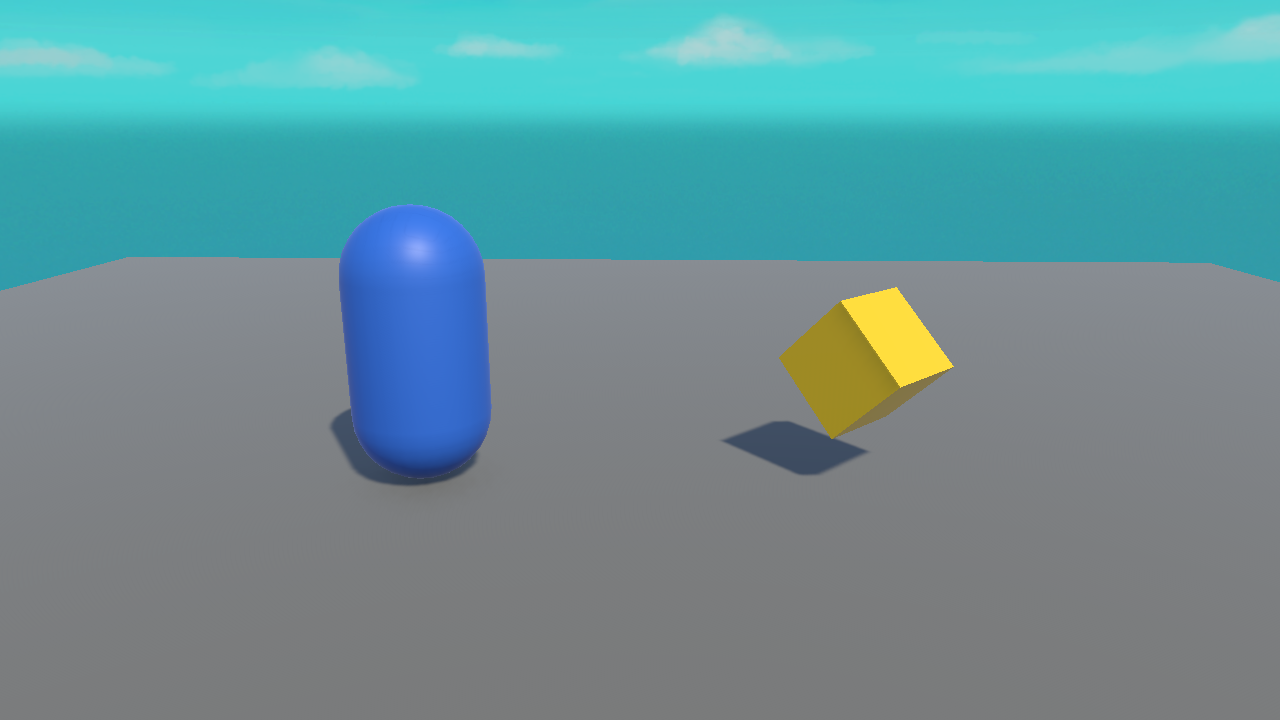
A coin you collect is a classic trigger: the player walks through it (no bump), and the overlap tells your code "collect it!" Here's our player near a spinning collectible — that yellow cube will be a trigger:
The Collision Rules (important!)
For Unity to report a collision or trigger, at least one of the two objects involved needs a Rigidbody. The usual setup:
Rigidbody + Collider] -->|walks into| B[Collectible
Collider, Is Trigger ON] B -->|Unity fires| C[OnTriggerEnter]
- Solid collision: both have colliders, neither is a trigger, at least one has a Rigidbody → they bump. Unity fires
OnCollisionEnter. - Trigger overlap: one collider has Is Trigger ON, at least one has a Rigidbody → they pass through. Unity fires
OnTriggerEnter.
⚠️ "My trigger isn't firing!"
The #1 cause: neither object has a Rigidbody. Add a Rigidbody to the moving object (e.g. the player). That single fix solves most "nothing happens" trigger problems. We write the code next lesson.
Hands-on Exercise
🏋️ Exercise: Solid vs ghost
- Make a floor, a player Cube with a Rigidbody, and a wall Cube in front of it.
- Nudge the player toward the wall (add a small forward force or move it). It stops at the wall — solid colliders.
- Select the wall and tick Is Trigger. Now the player passes through it.
- Notice: it stopped being solid, but Unity could still detect the overlap (we'll use that next lesson).
💡 The player fell through the floor
The floor's collider might be set to Is Trigger by accident — untick it. Floors should be solid (Is Trigger OFF).
🎯 Quick Quiz
Question 1: What does ticking Is Trigger do?
Question 2: Your trigger never fires. Most likely fix?
Summary
🎉 Key Takeaways
- A collider is an object's physical boundary; primitives include one.
- Use simple colliders (Box/Sphere/Capsule) over Mesh Colliders where possible.
- Is Trigger ON = pass-through zone; OFF = solid.
- Collisions/triggers need at least one Rigidbody among the pair.
🚀 What's Next?
Detecting overlaps is only useful if your code can react. Lesson 5.3 writes the collision and trigger event methods.