📝 Lesson 7.1: Planning Your Mini-Game
You have all the pieces. Before we assemble them, let's do what every real developer does first — plan. A few minutes designing on paper saves hours of confused building.
🎯 Learning Objectives
- Define the game's goal and core loop
- List exactly what the game needs (and map it to skills you have)
- Break the build into small, ordered steps
- Set a realistic scope
Estimated Time: 25 minutes
In This Lesson
The Vision
Our mini-game — call it Star Collector: a player moves around a walled arena and collects all the stars before time runs out. Simple, satisfying, and it uses every skill from this course. Here's the target:
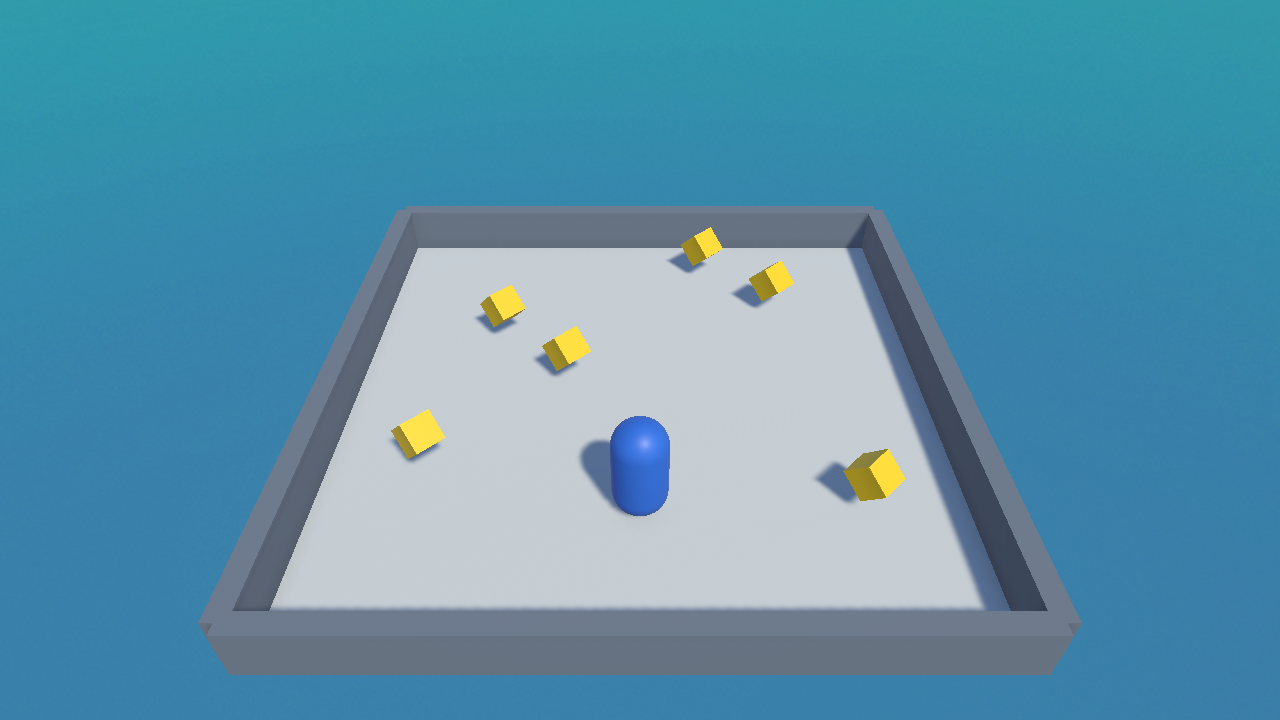
The Core Loop
The core loop is the short cycle a player repeats — the heartbeat of the game. For Star Collector:
📖 Definition
Core loop: the repeating cycle of actions and rewards at the heart of a game. Nail a fun core loop and you have a fun game, even a tiny one.
What It Needs (and where you learned it)
| Ingredient | From |
|---|---|
| A floor and walls to contain the player | Modules 1–2 (scenes, primitives, materials) |
| A player that moves with the keyboard | Module 4 (input & movement) |
| A camera that follows | Module 4 (camera follow) |
| Collectible stars (trigger + prefab) | Module 5 (physics, triggers, collectible) |
| A live score and win message | Module 6 (UI & GameManager) |
| A collect sound and music | Module 6 (audio) |
💡 Notice: you already know how to build every single ingredient. Module 7 is just assembly. That's the payoff of learning the fundamentals in order.
The Build Plan
Break it into small, testable steps. Build and Play-test after each — never write everything then hope:
- Level — floor, four walls, lighting (Lesson 7.2).
- Player — capsule + movement + follow camera (reuse Module 4).
- Stars — the collectible prefab, scattered (reuse Module 5).
- Score & win — GameManager counts stars, declares a win (Lesson 7.3).
- Polish — particles, post-processing, sound (Lesson 7.4).
⚠️ Scope discipline
Resist adding enemies, levels, power-ups now. Finish this small game first. A done game you can expand beats an ambitious one you abandon. You can always add more after it works end-to-end.
Hands-on Exercise
🏋️ Exercise: Write your plan
- In a notes file, write one sentence describing your game's goal.
- Sketch or list your core loop (4–6 steps).
- List the ingredients and tick the ones you already know how to build (spoiler: all of them).
- Optional: change one thing to make it yours — a different theme (collect coins? gems?), arena shape, or star count.
💡 Feeling ambitious?
Great — write those ideas in a "later" list. Build the core game first; pull from your later-list once it's playable.
🎯 Quick Quiz
Question 1: What is a "core loop"?
Question 2: Why plan and scope before building?
Summary
🎉 Key Takeaways
- Define the goal and core loop before building.
- List the ingredients — you already know how to build them all.
- Break the build into small, testable steps and Play-test each.
- Keep scope tight: finish the small game first.
🚀 What's Next?
Plan in hand, let's build. Lesson 7.2 constructs the arena — floor, walls, and lighting.